CONSOLES
From monitoring to streamlined fleet management.
The consoles are developed by NSS's engineering team, who adapt each project to the specific needs of the operator and the vehicle.
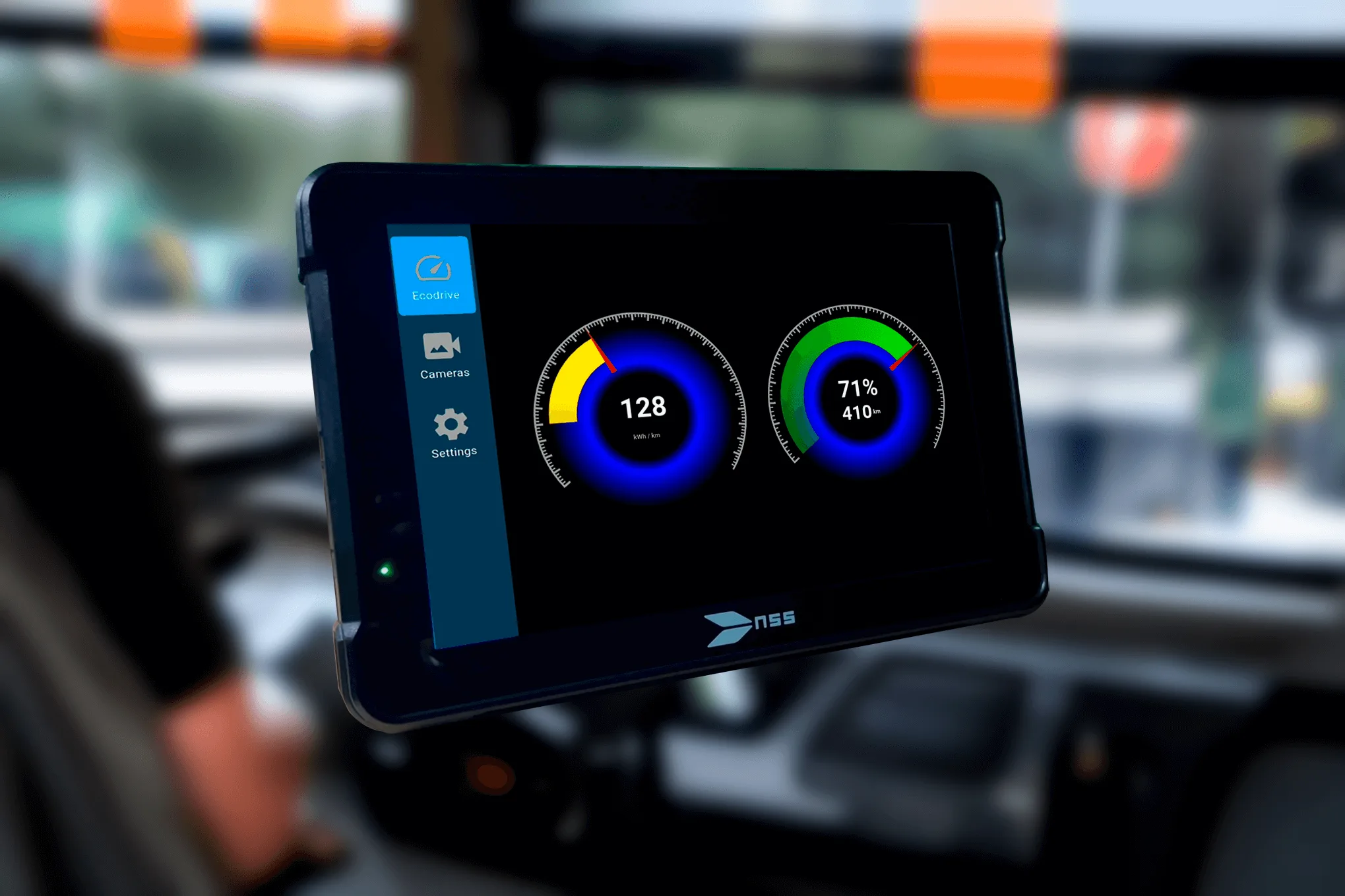
User-friendly consoles, easily accessible to the driver.
The console is the driver's point of command over the on-board equipment: it is where the driver selects the route and destination shown on the indicators, manages alternative messages when needed, and — on the MADT range — reaches the integration modules installed in the vehicle.
TCU or MADT: two ranges, two purposes.
The NSS console range has two tiers, each built for a different fleet. The TCU is the cost-effective option, bridging Ethernet and RS-485 — it connects destination indicators without the cost of an onboard switch, ideal for smaller fleets. The MADT is the ITxPT-oriented console, built for operations that need deeper integration, connectivity and centralised fleet management.
TCU — Touch Control Unit
The TCU Unit is the top choice among our clients — valued for its simplicity, practicality, and driver-centric design. With just a few taps, it effortlessly manages the content displayed on destination indicator panels. It's also the most cost-effective option in the range: it bridges Ethernet and RS-485, so indicators can be integrated without an onboard switch.

Simple interface

Intuitive touchscreen
Easy message updates
Ethernet ↔ RS-485 bridge
No onboard switch required — the most cost-effective option for smaller fleets.
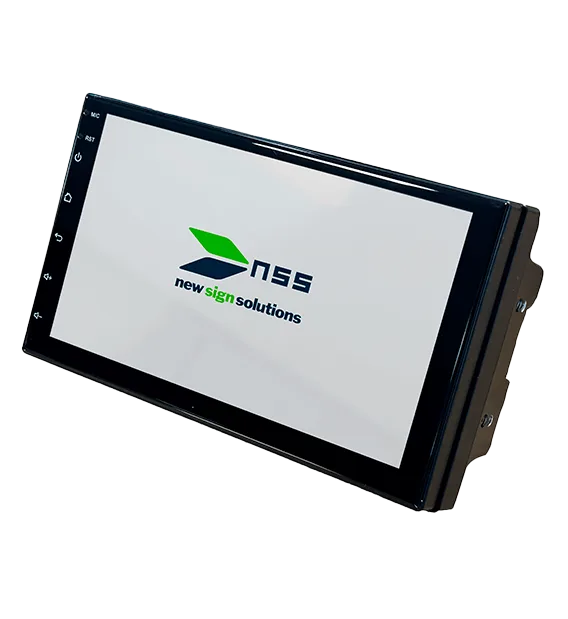
MADT
Touchscreen, tough enough for the vehicle interior, configurable per project.
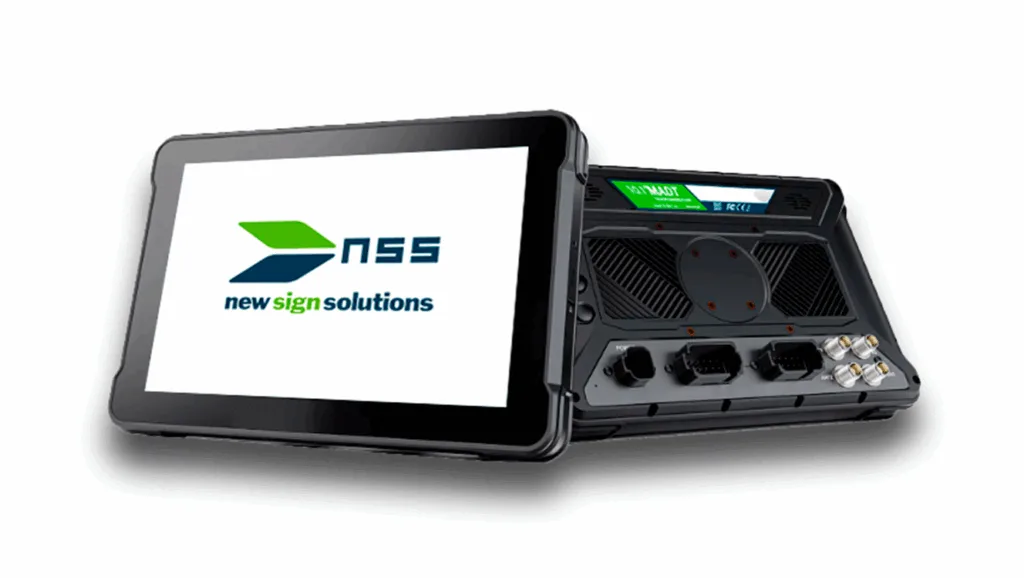
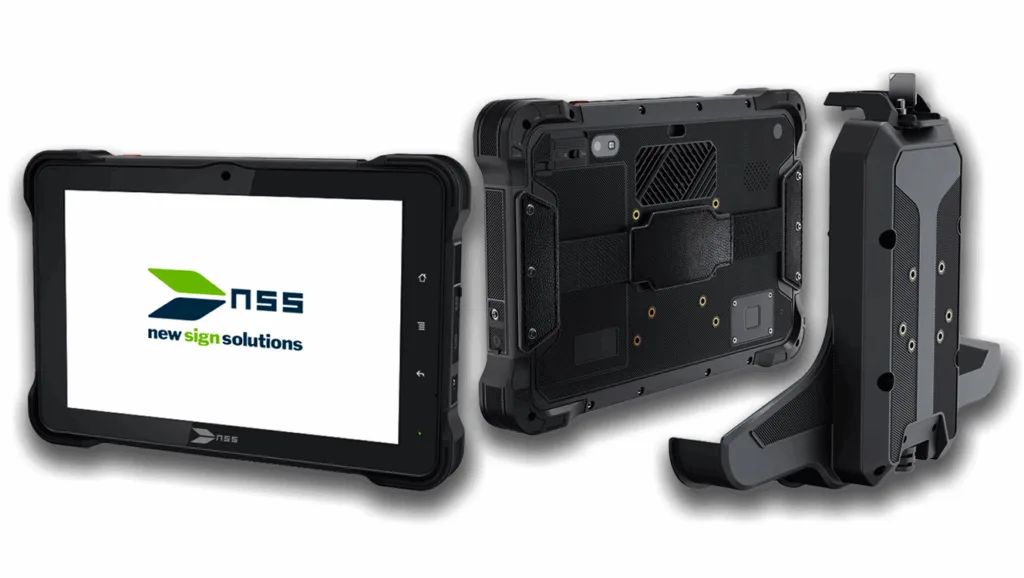
The MADT is NSS's ITxPT-oriented console, designed for integration into transport vehicles, ideal for operations requiring monitoring, connectivity, peripheral communication, and centralised fleet management. It runs on the 10.1" Android units in the TCU range — the TCU-10 consoles — with high customisation capabilities tailored to the specific requirements of each project.

High visibility
10.1" touchscreen with 1000 nits brightness - optimised for direct sunlight use.

Two versions, the same software
Available for fixed installation (TCU-10 PRO) or with docking station (TCU-10 PRO DS) for quick replacement - choose based on your fleet's needs.

Simple menus, tailored to each operator
Android™ operating system - featuring simple, accessible menus tailored to each operator's or service's profile.
Connects via 4G/5G, Wi-Fi, Bluetooth and USB-C
Capable of real-time communication via 4G/5G, Wi-Fi, Bluetooth, and USB-C - ready for onboard and remote connectivity.
Built for demanding conditions
IP67 and drop-resistant (MIL-STD-810G, reference).

Flexibility tailored to every project
Fully customisable: integration of modules such as cameras, Ecodrive, destinations, DMS, passenger counters, and much more.

Integrates with the system already installed in the vehicle
Compatible with CANBus (J1939, FMS), GPIO, Ethernet, etc. - native connection to the vehicle's electronic systems.

Vehicle location and status
Integrated GNSS, telemetry modules, and compatibility with ITxPT, FMStoIP, and MQTT - enabling modern and efficient fleet management.
DMS
DMS — driver monitoring
DMS (Driver Monitoring System) is the driver-monitoring capability built into the MADT console, which runs on the TCU-range consoles. It continuously watches the driver via a camera, detects sustained fatigue and distraction signals, and forwards the alert — together with a short clip of the event — to the fleet's operations centre. It is opt-in per fleet operator: it ships disabled by default, and each operator decides whether and where to enable it, via remote configuration. It adapts to the unit it runs on: on consoles with a dedicated automotive driver-monitoring module, detection runs on a dedicated module built into the unit's own hardware platform, with a dedicated analogue camera, already running production-grade detection; on tablets and commercial consoles without that module, detection is handled by a model embedded in the MADT application, using the console's digital camera (front, rear or external USB), with the same end-to-end pipeline (camera → detection → alert → clip → operations centre).

CONCEPT — flow illustration, not a real system capture.
TCU RANGE
A console for every installation.
The NSS TCU range includes 7" and 10.1" units, from the original TCU to the latest TCU v2, as well as the Android TCU-10 PRO and TCU-10 PRO DS consoles. The 7" models (TCU and TCU v2) are the most cost-effective option, with an Ethernet↔RS-485 bridge; the 10.1" Android models (TCU-10 PRO and TCU-10 PRO DS) are the ones that run the MADT, oriented to ITxPT. The DS (Docking Station) version uses the same control unit as the TCU-10 PRO, mounted on a removable docking station with additional integration interfaces.
TCU range models
TCU — Touch Control Unit
7" touchscreen, 1024x600 px, 1000 cd/m² brightness. Android 8.1 operating system, 8GB internal storage. USB, Ethernet and RS485 interfaces — with an Ethernet↔RS-485 bridge, no onboard switch required. 10V to 15V power supply, 50W maximum consumption.
TCU v2 — Touch Control Unit v2
New generation of the TCU, with a 7" touchscreen, 1024x600 px and 1000 cd/m² brightness. Android 13 operating system, 32GB internal storage. USB, Ethernet, RS485 (with an Ethernet↔RS-485 bridge), CANBus, analogue camera, GPS, Wi-Fi and audio in/out interfaces. 9V to 36V power supply, 50W maximum consumption. Dimensions 180 × 104 × 90.9 mm, display area 154 × 87.5 mm. Includes DHCP server, destination sign control, reverse and door video, and SAE integration via the NSS API.
TCU-10 PRO
10.1" HD touchscreen (1280x800), 1000 nits, visible in direct sunlight. Android™ 9.0 operating system, Octa-core 1.8GHz processor. Optional digital camera (5MP front, 16MP rear). USB-A, USB-C, CANBus (CAN 2.0b, J1939, FMS), RS485, RS232, Ethernet and GPIO interfaces. IP67 and drop-resistant up to 1.2m (MIL-STD-810G, reference).
TCU-10 PRO DS
Same control unit as the TCU-10 PRO, with a docking station that provides Ethernet, RS485, USB-A, GPIO, CANBus and up to 4 AHD inputs. 10.1" HD screen, Android™ 9.0, IP67 and drop-resistant up to 1.2m (MIL-STD-810G, reference).