SAE · ON-BOARD OPERATIONS SYSTEM
The operation starts inside the vehicle.
SAE is the on-board system that runs the operation in the vehicle: it knows which trip it is on, which stop comes next and how many minutes early or late it is. From there it drives the driver console, the interior screens, the spoken announcements, the destination sign and the control room — with a network or without one.
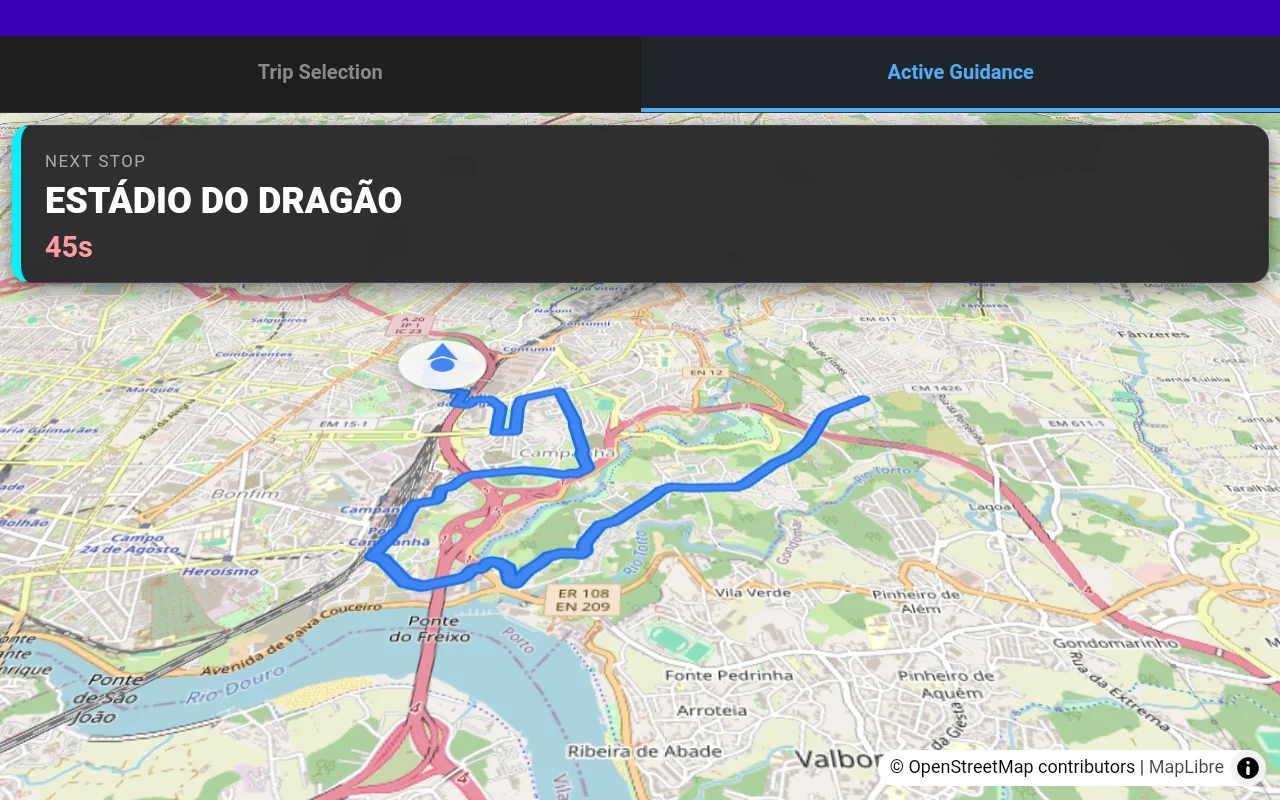
A system on board, not a terminal wired to a server.
Most of what the passenger sees and what the driver needs is decided inside the vehicle. SAE carries the timetable and the maps with it, locates itself along the route, knows which stop is next and how far off schedule it is running — and it is that information it distributes to everything on board.
The link to the control room enriches the operation but does not hold it up: with no network, SAE keeps guiding the driver, announcing stops and keeping the screens right.
What SAE does inside the vehicle
It knows which trip it is on
Matches the vehicle to its timetabled trip, follows progress along the route and rolls from one trip into the next on its own.
Next stop and deviation
Works out the next stop from the real position along the route and computes how early or late the vehicle is running, moment by moment.
Guides the driver
Current trip, next stop and schedule position available at the driver's position, without taking eyes off the road any longer than necessary.
Interior screens and announcements
Feeds the on-board information screens with the route, destination and upcoming stops, and announces the next stop by voice, in sync with the real position.
Exterior destination sign
Sets the destination sign at every change of trip, finds it by itself on the vehicle network and re-sends the setting if the sign boots up later.
Connections at the next interchange
Shows passengers what connects at the interchange stops ahead — bus, metro, rail, tram or ferry.

CONCEPT — illustration of the function, not a real system capture
It reads the vehicle, not just the GPS.
SAE connects to the vehicle bus and to the positioning antenna, and it is from that combination that it derives the information the rest of the operation uses.
Vehicle data over FMS / J1939
Fuel level and consumption, engine speed, temperature, odometer, doors, brakes, battery voltage, ambient temperature and engine hours. On electric vehicles, state of charge, energy used and remaining range.
Positioning that survives a tunnel
When the positioning signal degrades, SAE keeps the vehicle located by dead reckoning from its speed and heading — and always flags whether the position it is reporting is measured or estimated.
Driving
Detects harsh braking, harsh acceleration, sudden stops and speeding from the vehicle's own data.
Passenger counting
Records boardings and alightings per stop from the counting sensors when the vehicle has them, and flags the quality of each count instead of presenting them all as equal.
WITHOUT A NETWORK
The bus does not stop because the network did.
SAE's autonomy is not a fallback mode: it is how the system was designed. Everything it sends out is optional publishing.
INTEGRATION
It speaks ITxPT, so the rest of the vehicle does not have to speak NSS.
SAE's services announce themselves on the vehicle network according to ITxPT and are available to any compatible equipment — screens, consoles, validators, third-party systems — with no point-to-point integration work.
What SAE reports to the control room
Position and trip
Where it is, which trip it is on, how far off schedule, and with what positioning quality.
Events
Driving alerts, vehicle status and health signals from the on-board equipment.
Signal priority requests
A signed request for green on approach to a junction, which expires by itself if the link fails — so a green is never given to a bus that has already gone through.
SAE and PCC: two systems, one service.
SAE is the vehicle side — the on-board system that runs the operation inside the bus. PCC is the ground side — the central control room platform, where service is planned, monitored and regulated.
They work together, but they are not the same system and neither depends on the other to do the core of its job: SAE runs the vehicle even with no link; PCC commands the network from the ground.